Exploits > SCPH-10K, SCPH-15K, and DTL-H10K(S) > Sony/other MemCard
Great! Here is your ProtoPwn download for Sony/other memcards:
Step 1 - How to use .psu
Read this tutorial first: PSU Paste Tutorial
Step 2 - Download Integral Files
Download ProtoPwn, BOOT, SYS-CONF, copy and psuPaste via wLE ISR exFAT to your memory card.
Step 3 - Recommended Homebrew
Download these optional but recommended apps and psuPaste via wLE ISR exFAT.
-
OSDMenu
A modern take on FMCB with many many more features which has support for most devices. -
wLE ISR exFAT MX4SIO
File manager with MX4SIO support -
wLE ISR exFAT MMCE
File manager with MMCE support -
NHDDL (selct
NightlyandDownload PSU)
Front-end for Neutrino to display PS2 ISOS and launch them -
Neutrino (NOT a PSU. Unzip to root of USB and
MC Pastevia wLE)
Backed ISO loader which focuses on compatibility -
OPL 1.2.0 Beta 2249
Open PS2 Loader: ISO loader that everyone knows... -
DKWDRV
In development PS1 Launcher which aims to replace PS1DRV -
POPSLoader
Front end for POPS emulator to play PS1.VCDfiles. -
Restart
Restart your PS2 -
PowerOff
Shutodwn your PS2
Step 4 - Reboot!
Reboot your PS2. The screenshots below are what you should see:
Example of what you will encounter:
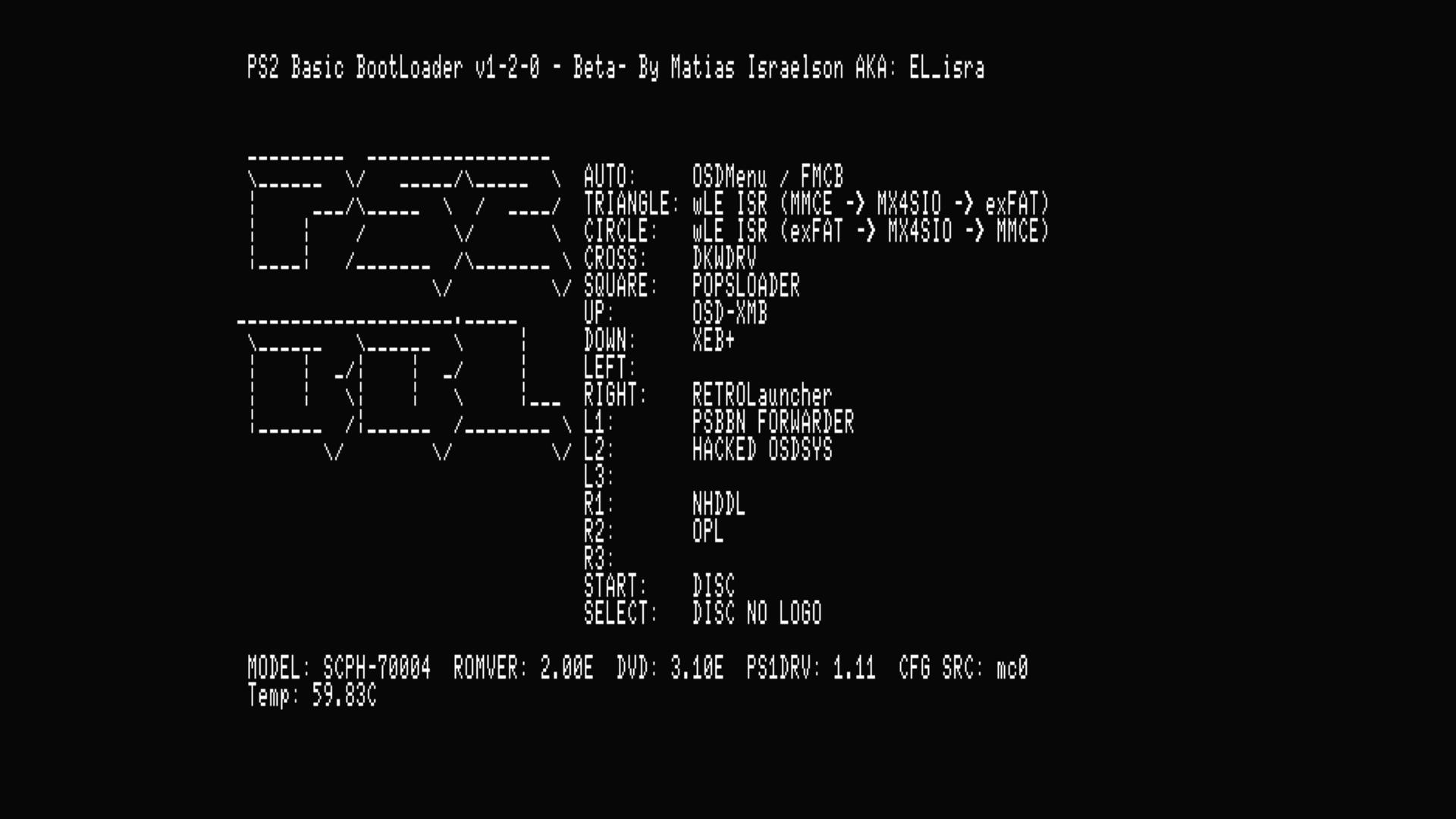
Step 1: Press controller button here for hotkeys or wait for it to autoboot what you have set for LK_AUTO_E? in mc?:/SYS-CONF/PS2BBL.INI
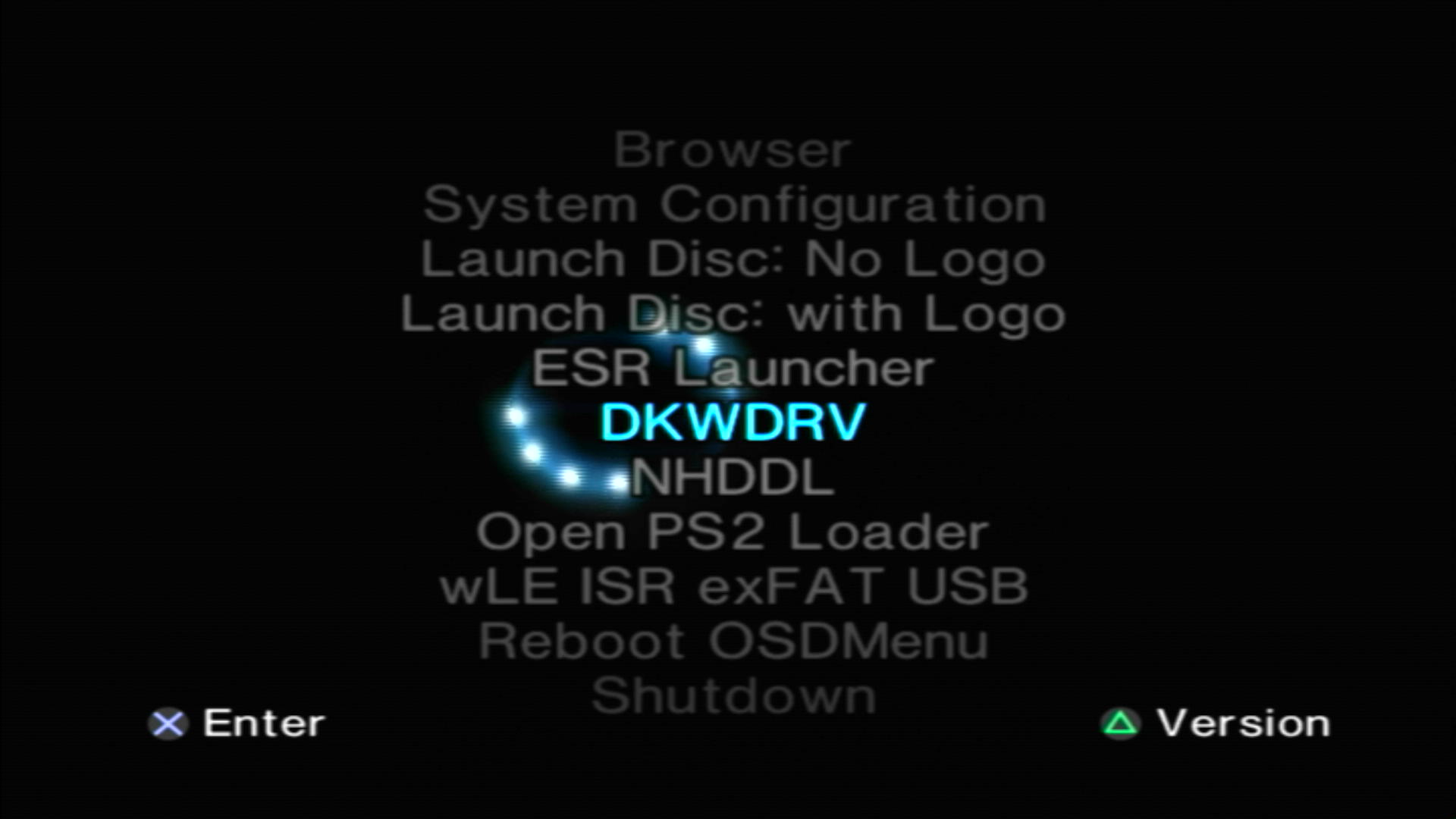
Step 2: OSDMenu which is hacked OSDSYS. You will configure it in the next step.
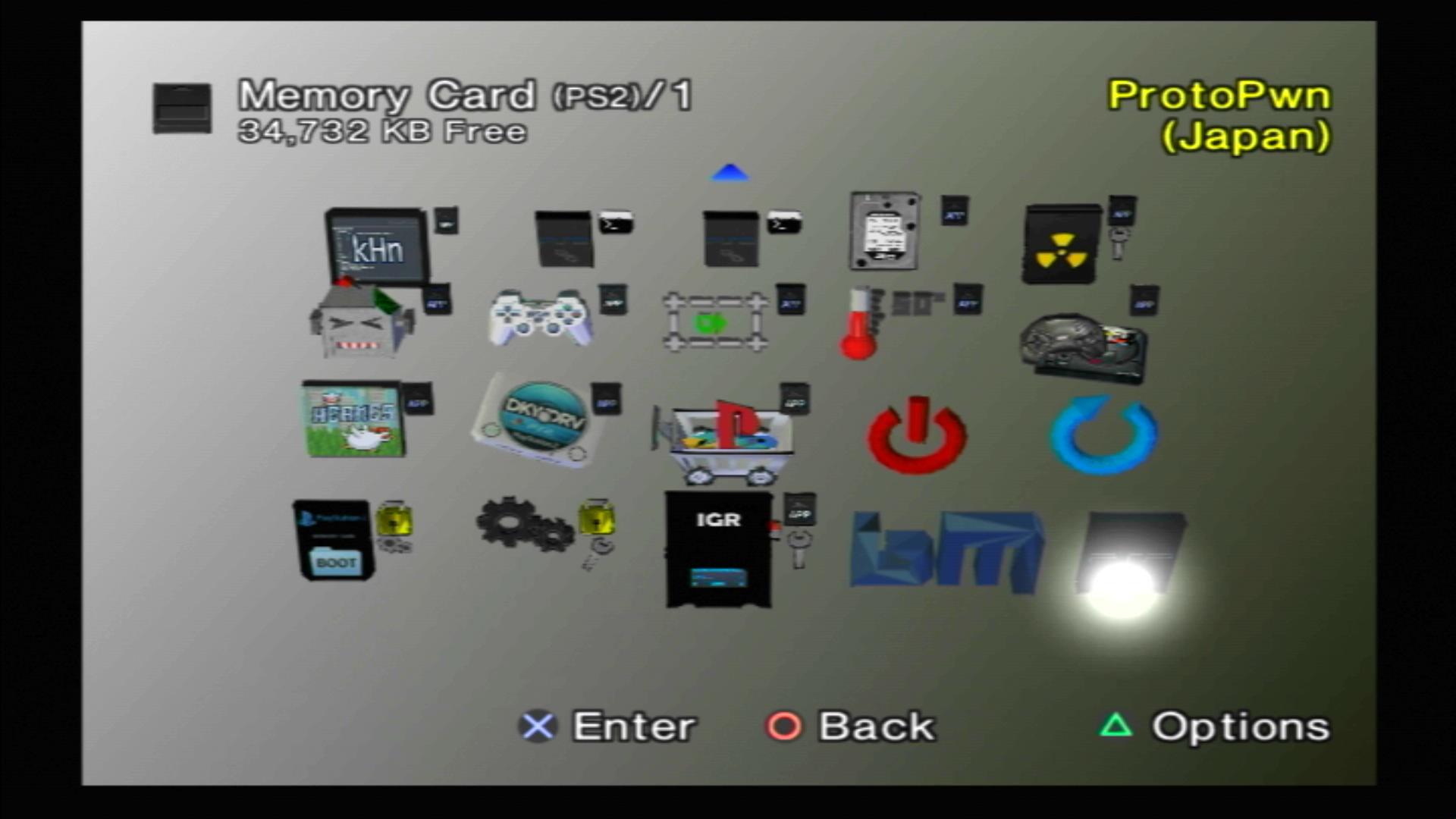
TIP: You can launch apps from here!
Step 5 - Configure PS2BBL Extended and Hacked OSDSYS
-
Download
R3Configuratorand place on device of choice (usb, mx4sio, mmce) atdevice:/APPS/
You should end up withdevice:/APPS/SYS_R3CONFIGURATOR/r3configurator.elf -
Plug the device that you copied
R3Configuratorto into your PS2 -
Reboot your PS2, and hold down
R3on controller to bootR3Configurator
NON PSX-DESR consoles only! The app can also be ran from your hacked OSDSYS by scrolling down toR3Configuratorif you failed to press the button in time.
R3Configurator Options
Step 1: Press R3 to launch R3Configurator
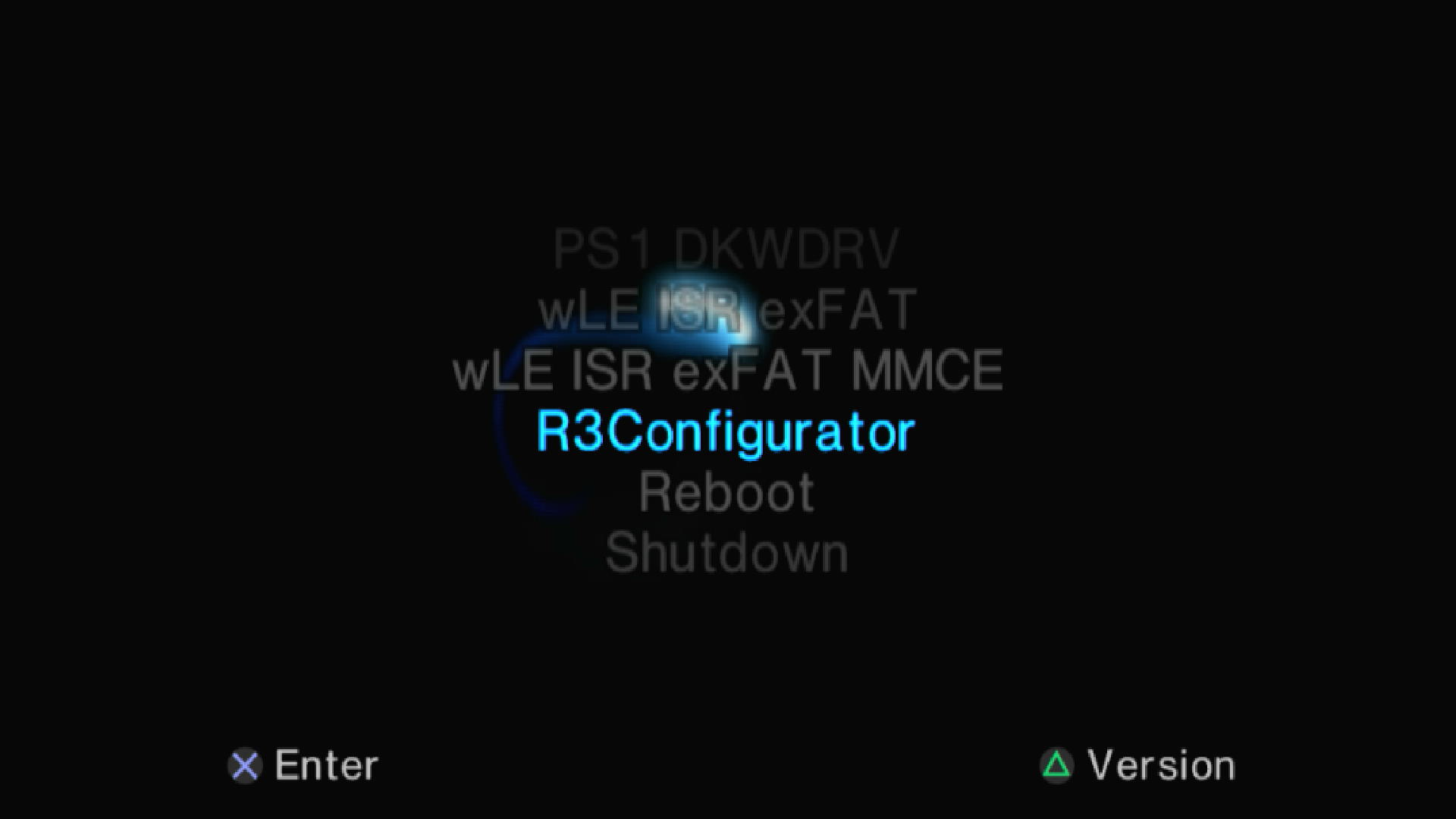
Optional: May also launch from hacked OSDSYS
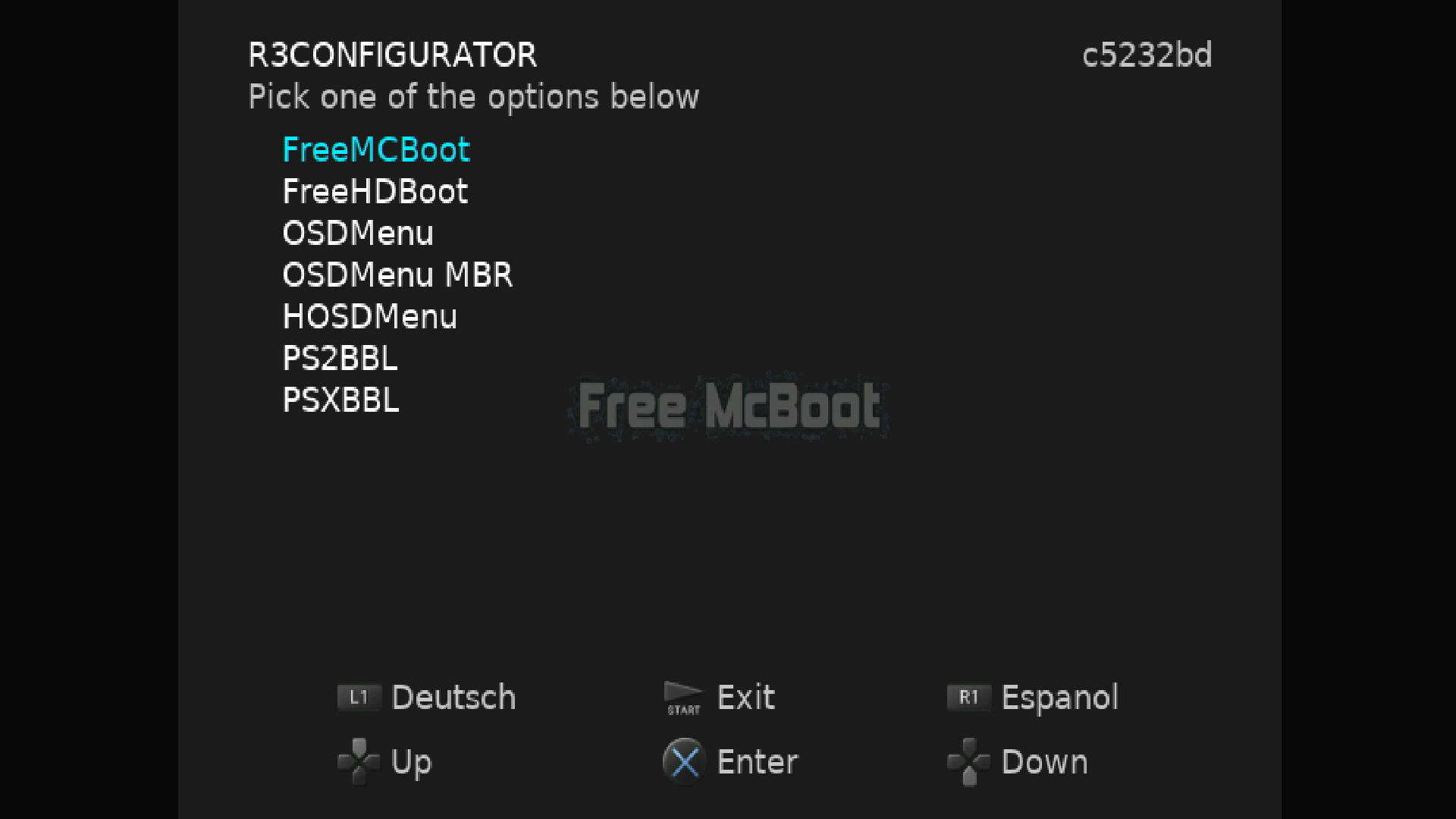
Step 2: Select PS2BBL/PSXBBL as needed to configure Launch Keys and AutoBoot
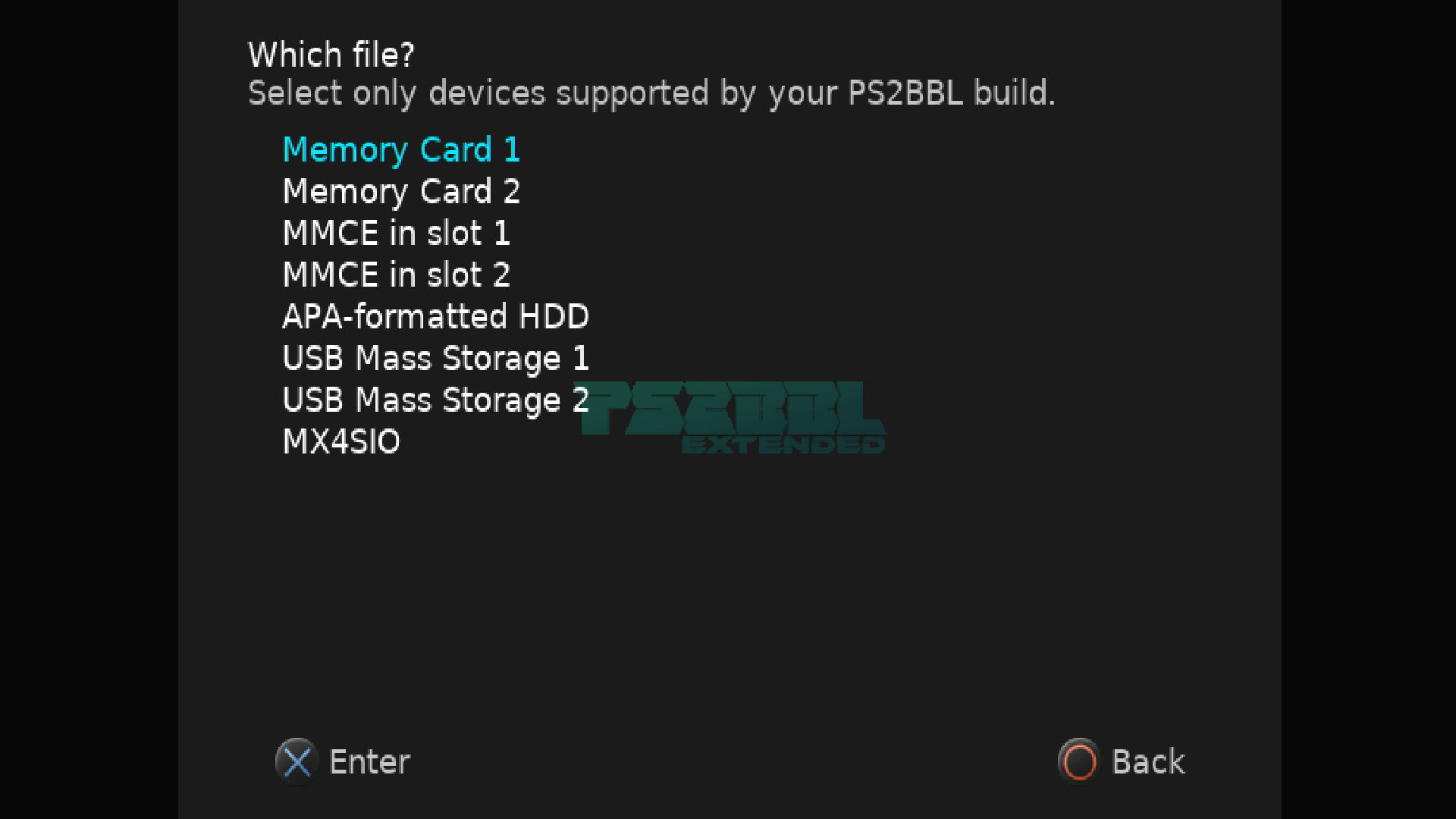
Step 3: Select Memory Card 1 PS2BBL/PSXBBL has a search order for it's config files...
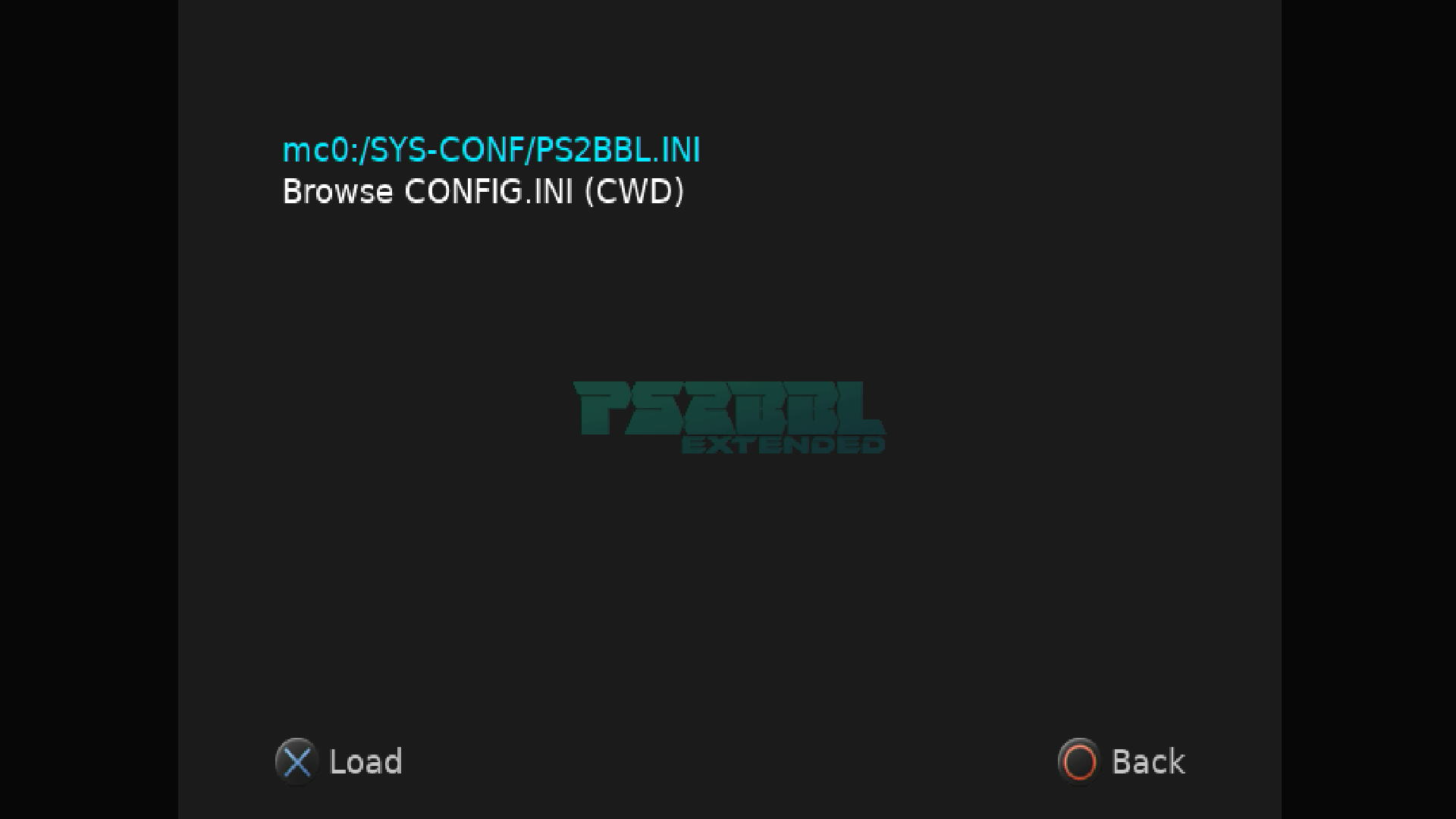
Step 4: Select mc0:/SYS-CONF//PS2BBL.INI
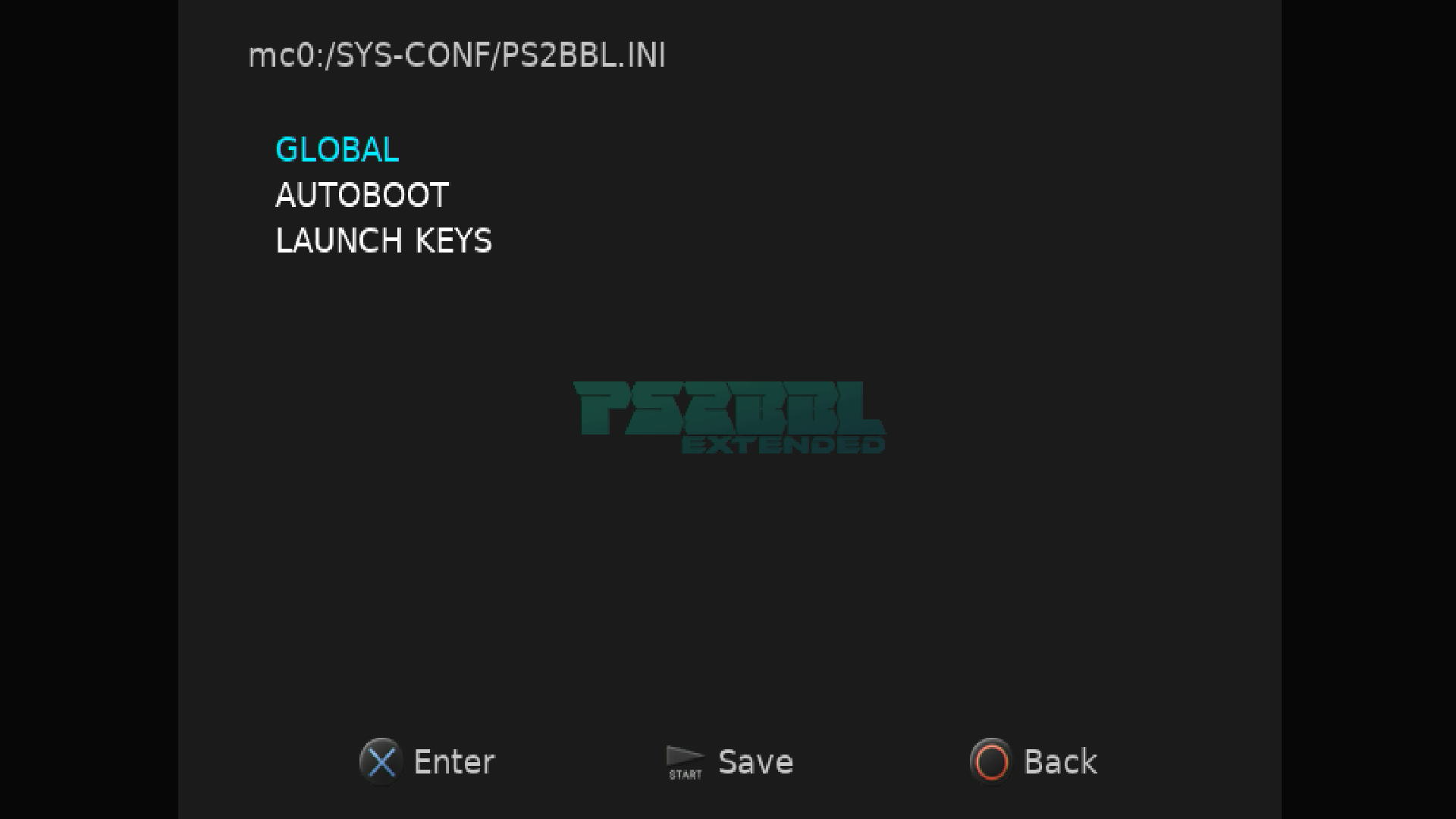
Step 5: Now go explore and customize PS2BBL/PSXBBL as desired!
Step 6: Once done go back to main page and select your hacked OSDSYS of choice. OSDMenu is default for us and superior to FMCB.
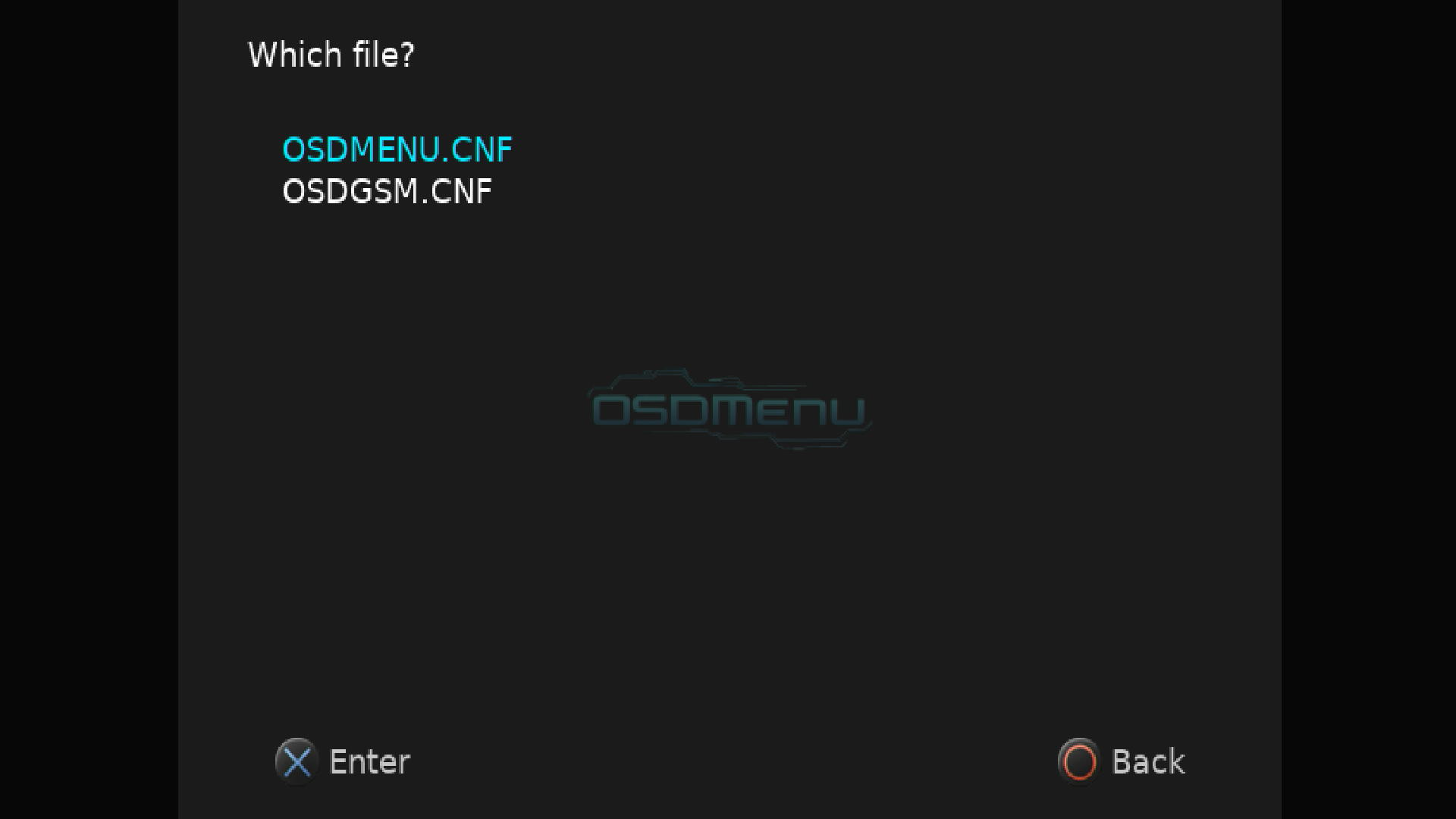
Step 7: Select OSDMENU.CNF. OSDGSM.CNF is to force video modes for disc usage.
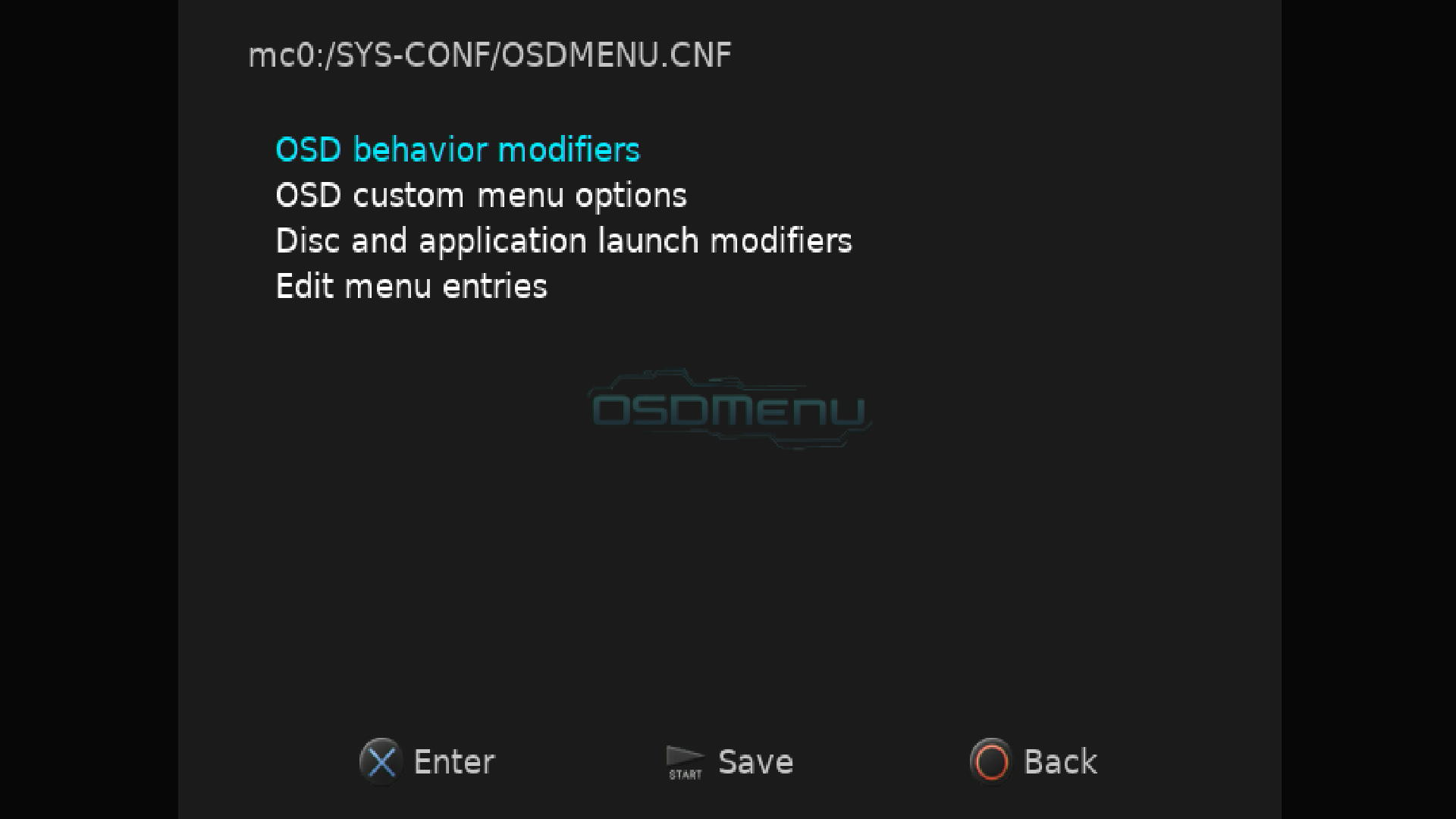
Step 8: Now go explore and customize OSDMenu as desired!
- Please reference the documentation for PS2BBL Extended and OSDMenu.
Step 6 - Configure Other Apps
- Apps such as OPL and NHDDL will need further configuration and or setup, such as puting your ISO's and art assets on. Follow each apps tutorial for such according to their webpage. Each developer is responsible for their own tutorials.
OPLdocumentation is sadly lacking,NHDDL'sis great. For NHDDL we recommend to launch via arguments as bothPS2BBL ExtendedandOSDMenusupport this. It is THE FASTEST way to load your ISO list.
Boot Process
---
config:
  theme: mc
  layout: elk.forced
  look: classic
---
graph LR
    A(["POWER ON"]) L_A_B_0@-- "BOOTROM 1.00-2.20<br>Excluding DTL-H3000*" --> B["SIGNED OSDSYS UPDATE<br>B?EXEC-SYSTEM<br>(LoadBOOTer)<br>Chainload:<br>mc?:/BOOT/BOOT.ELF"]
    A L_A_n1_0@-- "BOOTROM 2.30, 2.50<br>DEV 1 Modchips<br>Memory Cards w/o MagicGate" --> n1["OPENTUNA/DEV 1 CHIPS<br>Chainload:<br>mc?:/BOOT/BOOT.ELF<br>"]
    n5@{ label: "<pre style=\"font-family:\"><code style=\"font-family:\">mc?:/SYS-CONF/PS2BBL.INI</code></pre>" } --> n6["AutoLaunch<br>or<br>Hotkeys"]
    n6 -- AutoLaunch --> n7@{ label: "<span style=\"--tw-scale-x:\"><b><span style=\"--tw-scale-x:\">PS2BBL.INI AUTOLAUNCH</span><br style=\"--tw-scale-x:\"></b></span><br style=\"--tw-scale-x:\"><span style=\"background-color:\">1: EMPTY</span><br style=\"--tw-scale-x:\"><br style=\"--tw-scale-x:\"><span style=\"background-color:\">2: EMPTY</span><br style=\"--tw-scale-x:\"><br style=\"--tw-scale-x:\"><span style=\"--tw-scale-x:\">3: SYS_OSDMENU</span><br style=\"--tw-scale-x:\"><br style=\"--tw-scale-x:\"><span style=\"--tw-scale-x:\">4: SYS_FMCBD-1966</span><br style=\"--tw-scale-x:\"><br style=\"--tw-scale-x:\"><span style=\"--tw-scale-x:\">5: SYS_FMCBD-1965</span><br style=\"--tw-scale-x:\"><br style=\"--tw-scale-x:\"><span style=\"--tw-scale-x:\">6: SYS_FMCBD-1955<br style=\"--tw-scale-x:\"></span><br style=\"--tw-scale-x:\"><span style=\"background-color:\">7: SYS_FMCBD-18C</span><br style=\"--tw-scale-x:\"><br style=\"--tw-scale-x:\"><span style=\"--tw-scale-x:\">8: BOOT/BOOT2.ELF (wLE ISR exFAT)<br style=\"--tw-scale-x:\"><br style=\"--tw-scale-x:\">9: OSDSYS</span>" }
    B L_B_n8_0@-- <br> --> n8["mc?:/BOOT/BOOT.ELF<br>(PS2BBL)<br>./CONFIG.INI<br>DOES NOT EXIST!"]
    n1 L_n1_n8_0@-- <br> --> n8
    n8 L_n8_n5_0@-- Next config<br>search<br>pattern --> n5
    n10@{ label: "<pre style=\"--tw-scale-x:\"><code style=\"--tw-scale-x:\">mc?:/SYS-CONF/PSXBBL.INI</code></pre>" } --> n6
    n8 L_n8_n10_0@-- "PSX DESR-XXXX" --> n10
    A L_A_n11_0@-- "SCPH-10000<br>SCPH-15000<br>DTL-H10000(S)" --> n11["OSDSYS UPDATE<br>BIEXEC-SYSTEM<br>(ProtoPwn)<br>Chainload:<br>mc?:/BOOT/BOOT.ELF"]
    n11 L_n11_n8_0@--> n8

    B@{ shape: hex}
    n1@{ shape: event}
    n5@{ shape: lin-proc}
    n6@{ shape: diam}
    n7@{ shape: lin-proc}
    n8@{ shape: delay}
    n10@{ shape: lin-proc}
    n11@{ shape: event}
    classDef Ash stroke-width:1px, stroke-dasharray:none, stroke:#999999, fill:#EEEEEE, color:#000000
    classDef Sky stroke-width:1px, stroke-dasharray:none, stroke:#374D7C, fill:#E2EBFF, color:#374D7C
    style A fill:#00C853
    style B color:#FFFFFF,fill:#AA00FF
    style n1 color:#00C853,fill:transparent
    style n5 fill:#FFF9C4,color:#00C853
    style n6 fill:#00C853,color:#000000
    style n7 fill:#FFF9C4
    style n8 fill:#FF6D00
    style n10 fill:#FFF9C4,color:#00C853
    style n11 color:#00C853,fill:transparent
    linkStyle 0 stroke:#AA00FF,fill:none
    linkStyle 1 stroke:#00C853,fill:none
    linkStyle 2 stroke:#00C853,fill:none
    linkStyle 3 stroke:#00C853,fill:none
    linkStyle 4 stroke:#FF6D00,fill:none
    linkStyle 5 stroke:#FF6D00,fill:none
    linkStyle 6 stroke:#00C853,fill:none
    linkStyle 7 stroke:#00C853,fill:none
    linkStyle 8 stroke:#00C853
    linkStyle 9 stroke:#00C853,fill:none
    linkStyle 10 stroke:#FF6D00,fill:none

    L_A_B_0@{ animation: slow }
    L_A_n1_0@{ animation: slow }
    L_B_n8_0@{ animation: slow }
    L_n1_n8_0@{ animation: slow }
    L_n8_n5_0@{ animation: slow }
    L_n8_n10_0@{ animation: slow }
    L_A_n11_0@{ animation: slow }
    L_n11_n8_0@{ animation: slow }
Landing on your hacked OSDSYS of choice:
PS2BBL.INI and PSXBBL.INI are setup so that minimal config changes are needed if at all. To land on your hacked OSDSYS of choice, install the OSDMenu/ FMCB Version XXXX as needed. If multiple are installed (such as the MMCE AIO downloads), you can delete in order from first to last to land on the desired app. This is especially useful for modchip users as they may not play well or at all with some or all of the OSDSYS such as I believe Mars Pro. In that case, just delete all of the SYS_OSDMENU and SYS_FMCB-XXXX folders. Modchip users may need to disable chip to do so.
PS2BBL Hotkeys:
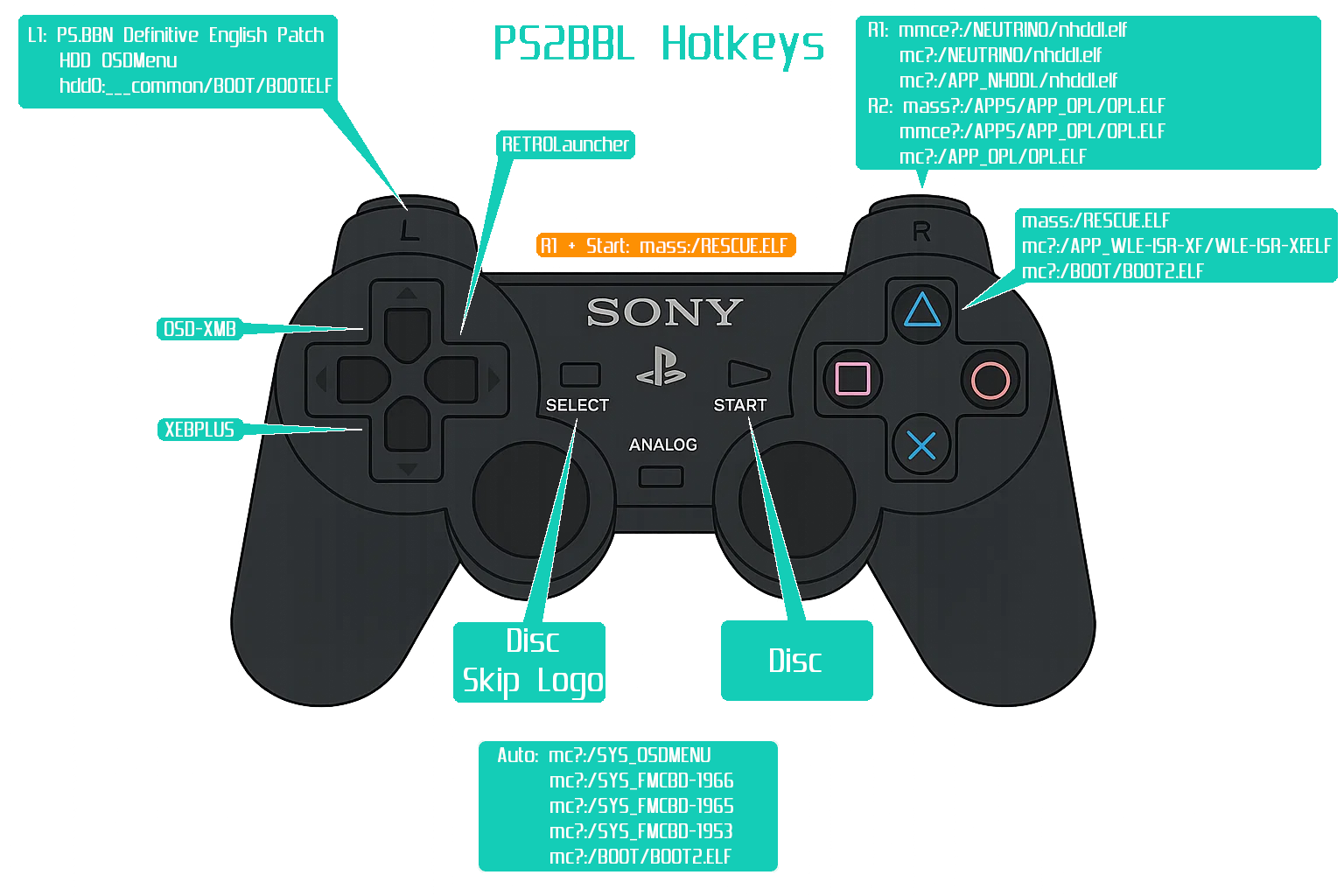
Config @ mc?:/SYS-CONF/PS2BBL.INI
Emergency Mode
If something breaks on your setup but PS2BBL still boots, just hold R1+START. It will trigger emergency mode where PS2BBL will try to boot RESCUE.ELF from USB device Root on an endless loop. Recommended to rename wLE ISR Exfat to RESCUE.ELF